
Alerts that tell you what matters
Set the rules once and gTrack watches the fleet for you. When something happens — a vehicle speeds, leaves a site, idles too long — the right people know at once.
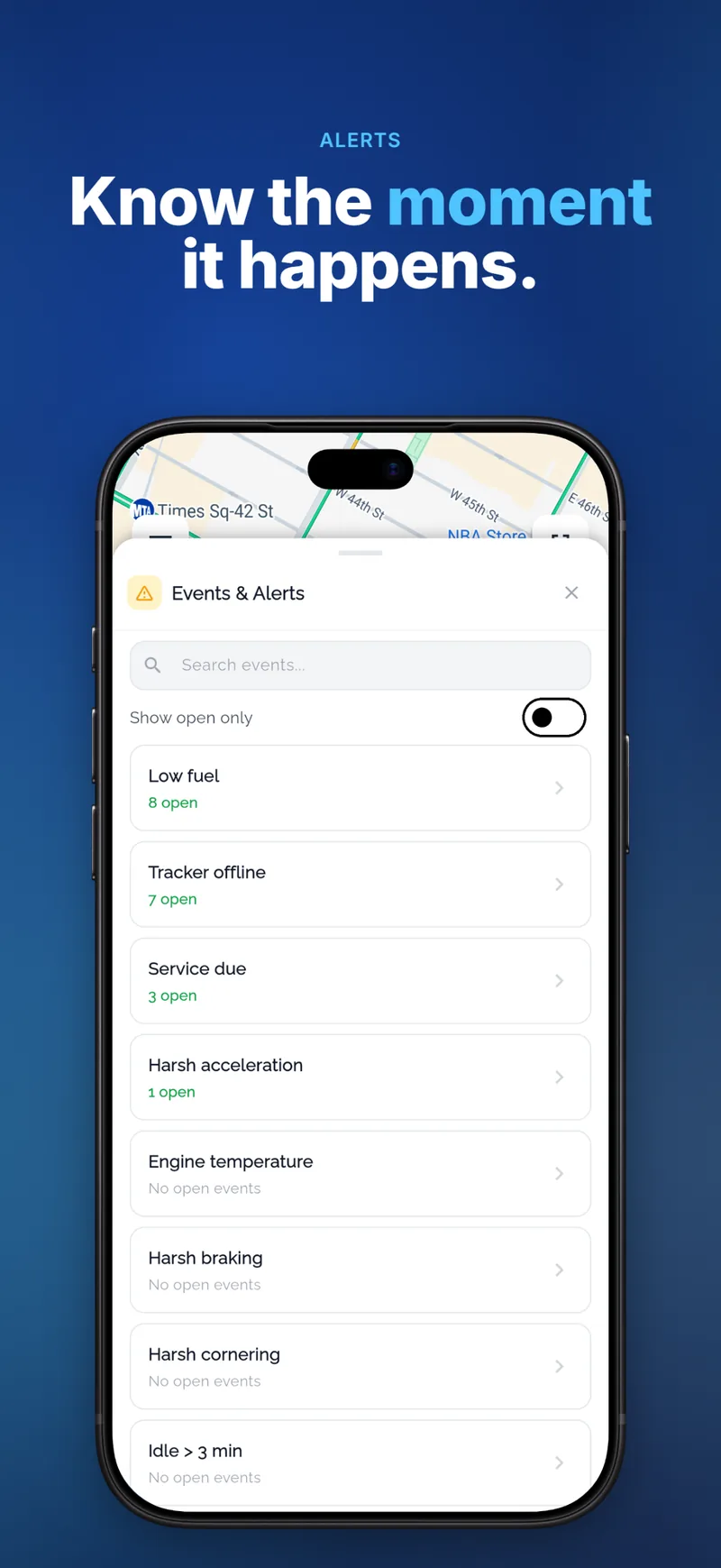
Alerts & event rules with gTrack
Speeding
A fixed limit or the road’s own limit, with a minimum duration so short peaks do not flood you.
Zones
Entering or leaving a geofence, or staying inside it longer than allowed.
Ignition and idling
Engine on outside working hours, long idling, unexpected movement.
Device and sensors
Low battery, power cut, panic button, temperature out of range, crash detection.
Notifications where you are
Each rule decides who is told and how: an e-mail, a push notification in the gTrack app, or both. Events also appear in the events panel and in reports.
- Per vehicle, per group or for the whole fleet
- Working-hours schedules
- Event history for audits
Built for your operation
Combine conditions to match how you work: a zone plus a time window, a speed limit for a group of vehicles, an input that means a door opened.
- Ready-made speeding and zone rules
- Custom rules for any reported value
- Rules switched on and off without losing their settings
Questions and answers
How quickly do alerts arrive?
As soon as the tracker reports the position or value that breaks the rule — usually within seconds.
Can drivers get the alerts?
Yes. Any user you choose can receive a rule’s notifications by e-mail or in the app.
Which alerts need special hardware?
Fuel, temperature, door and driver-ID alerts need the matching sensor on the tracker. Speed, zone and ignition alerts work with any tracker.
Related
Ready to see your fleet live?
Tell us about your vehicles and we send you an offer — or create an account and connect your first tracker today.